Layering NGINX for more Inference security
| AI inference networking | |
|---|---|
| Part 1 | Open WebUI as front door for ChatGPT |
| Part 2 | Inference security using Open WebUI |
| Part 3 | Layering NGINX for more Inference security |
| Part 4 | F5 AI Guardrails out-of-band |
Why add NGINX to our architecture?
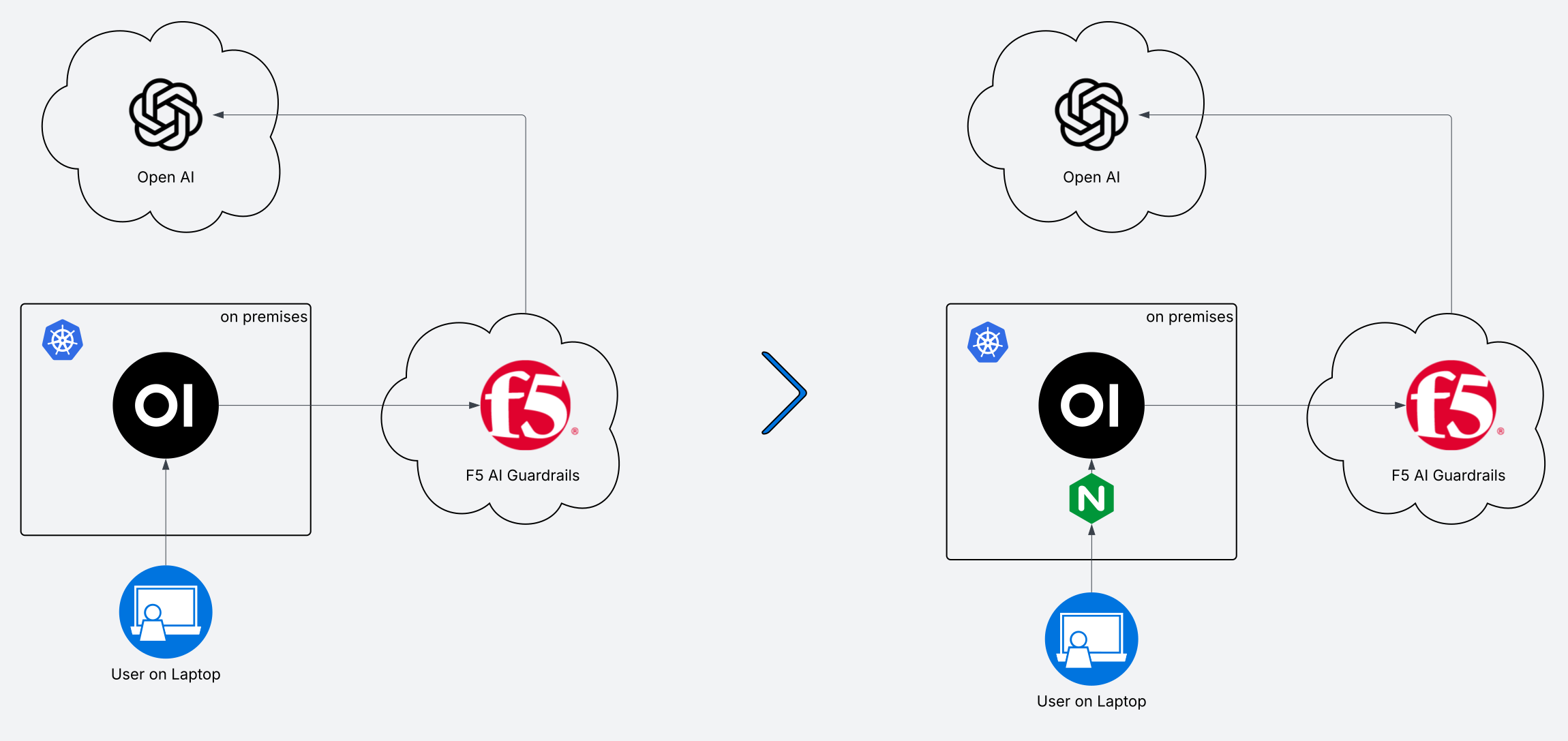
In the previous posts we covered Open WebUI and F5 AI Guardrails. Now we’ll add NGINX ingress controller so that we can do some mTLS auth. After that we’ll experiment with adding other functionality.
Pre-requisites
- Follow blog posts 1 & 2. By now you should be able to deploy and destroy our environment on demand.
Instructions to deploy NGINX Ingress Controller
- Deploy Open WebUI + CalypsoAI integration on K8s following previous posts.
- Instructions now include env var for Open WebUI to define a header for trusted auth:
WEBUI_AUTH_TRUSTED_EMAIL_HEADER
- Instructions now include env var for Open WebUI to define a header for trusted auth:
- I’ve cloned the repo for NGINX Ingress Controller at version 5.3.1
- I have added the relevant manifests to the repo accompanying this series.
- The instructions to deploy should include all manifests in the correct order.
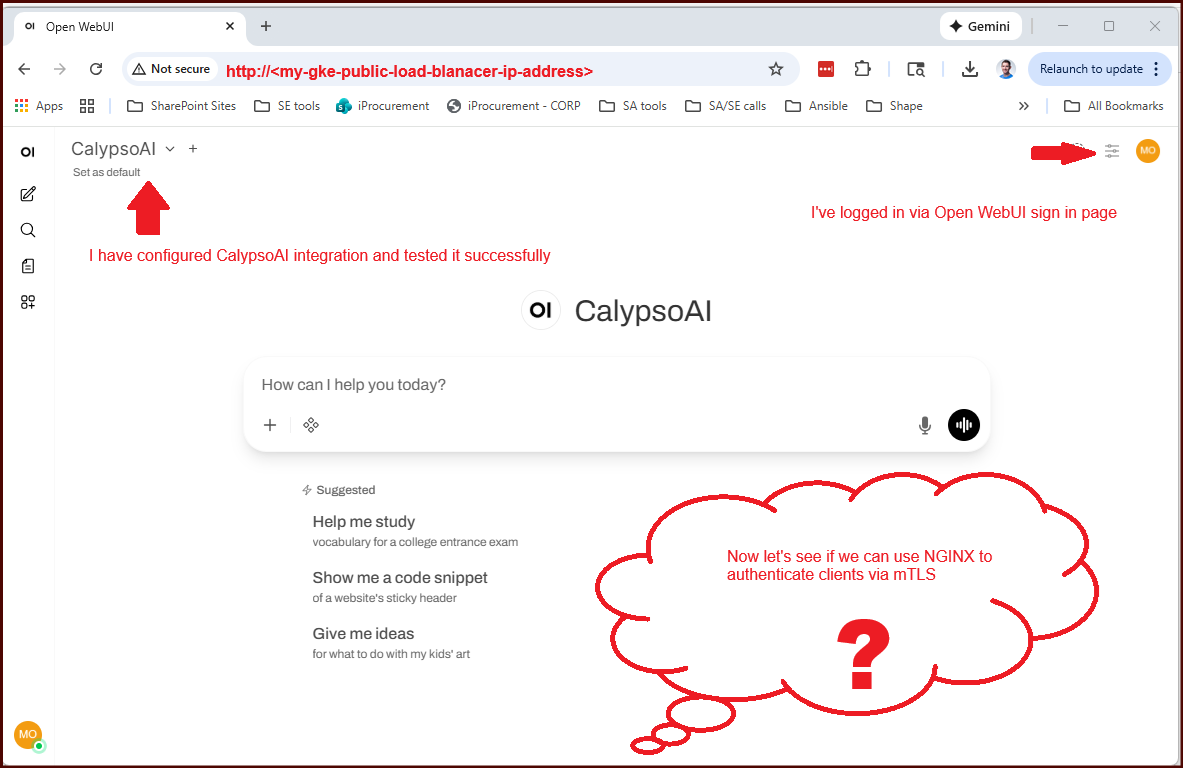
- Now we should have NGINX I.C. running. You should be able to access Open WebUI via public IP address, and your traffic should be traversing NGINX I.C.
Instructions to deploy cert-manager, server cert, and mTLS certs.
- Install cert-manager via manifests:
1
kubectl apply -f https://github.com/cert-manager/cert-manager/releases/download/v1.19.2/cert-manager.yaml - Create a ClusterIssuer
- Create a CACert
- Create a (namespaced) Issuer using the secret from the CACert
- Create a secret of type
nginx.org/cawhere the only data field is “ca.crt” and the value is the certificate material.1 2 3
# Extract the tls.crt from the ca-cert and create secret of type nginx.org/ca # this is so we have a secret in the correct format for NGINX's Policy CRD, which will implement mTLS. kubectl get secret open-webui-ca-cert -n open-webui -o json | jq '.type="nginx.org/ca" | .data={"ca.crt": .data."tls.crt"} | .metadata={"name": "open-webui-ca-cert-nginx", "namespace": "open-webui"}' | kubectl apply -f -
- Create a secret for TLS for NGINX, and multiple mTLS client certs
- ensure your mTLS client certs include an email address. The modern way to do this is in the Subject Alternative Name (SAN) field. Cert-manager handles this well.
Instructions to configure NGINX Ingress Controller
- Create a Policy CR that requires mTLS verification. My example.
- Create a VirtualServer CR that implements TLS with our server cert and references our Policy impelemting mTLS. My example.
Now, test your access to Open WebUI
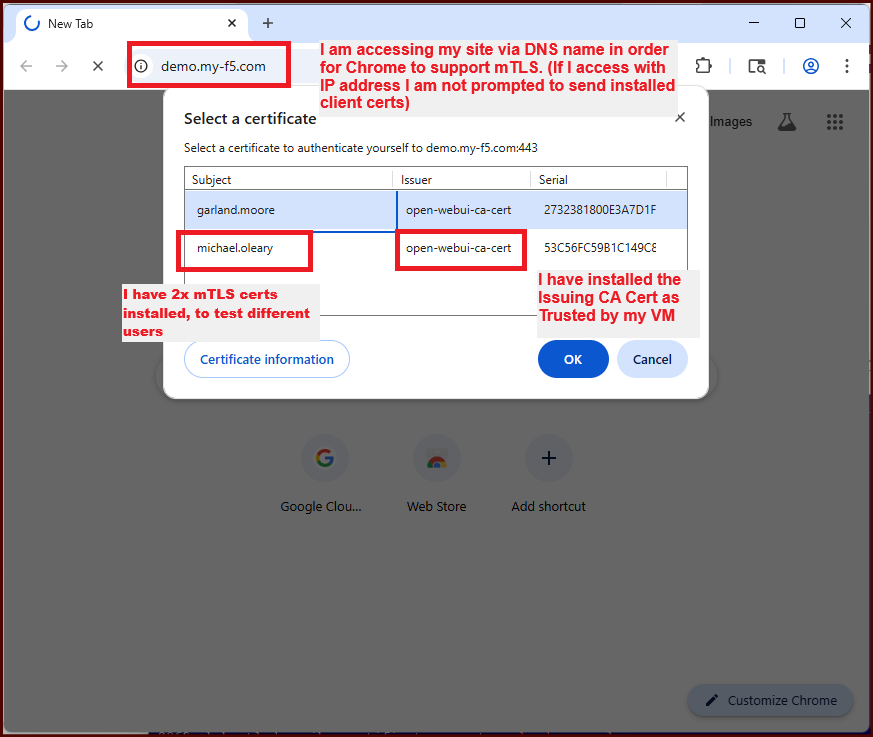
- Export CA Cert into trusted root store of your VM (unless using public CA)
- Export mTLS client cert/key into your VM
- Access the website, using a DNS name that matches your TLS cert (required by Chrome to prompt for mTLS certs)
Conclusion
We’ve added mTLS authentication to our environment, by using NGINX Ingress Controller and Open WebUI trusted headers.