More KillerCoda cool fetures

How I’ve updated my KillerCoda labs to use more features
Most of this can be found in the short doc for creators but I’ll share what I’ve done here:
Environments
Right now I’m still using the kubernetes-kubeadm-1node image but I do plan to have a good reason to use ubuntu or kubernetes-kubeadm-2nodes
Custom Code Markdown Actions
- The
{{copy}}and{{exec}}shortcuts that turn code blocks into easily copied or run text is handy. I’m using that now. - The
{{TRAFFIC_HOST1_80}}is a nice way to display a URL easily, I’m using that too.
Scripts
- There is now a validation step in some of my scenarios. I have made scripts to check basic things like “are there 2x running pods in the nginx-ingress namespace?”
- I’m using a background script to do things like create YAML files when the scenario loads
- I’m using a foreground script to show a small “loading” alert in the command window while the background script runs
Formatting
I’m using html <details> and <summary> tags to have hints. Here’s an example:
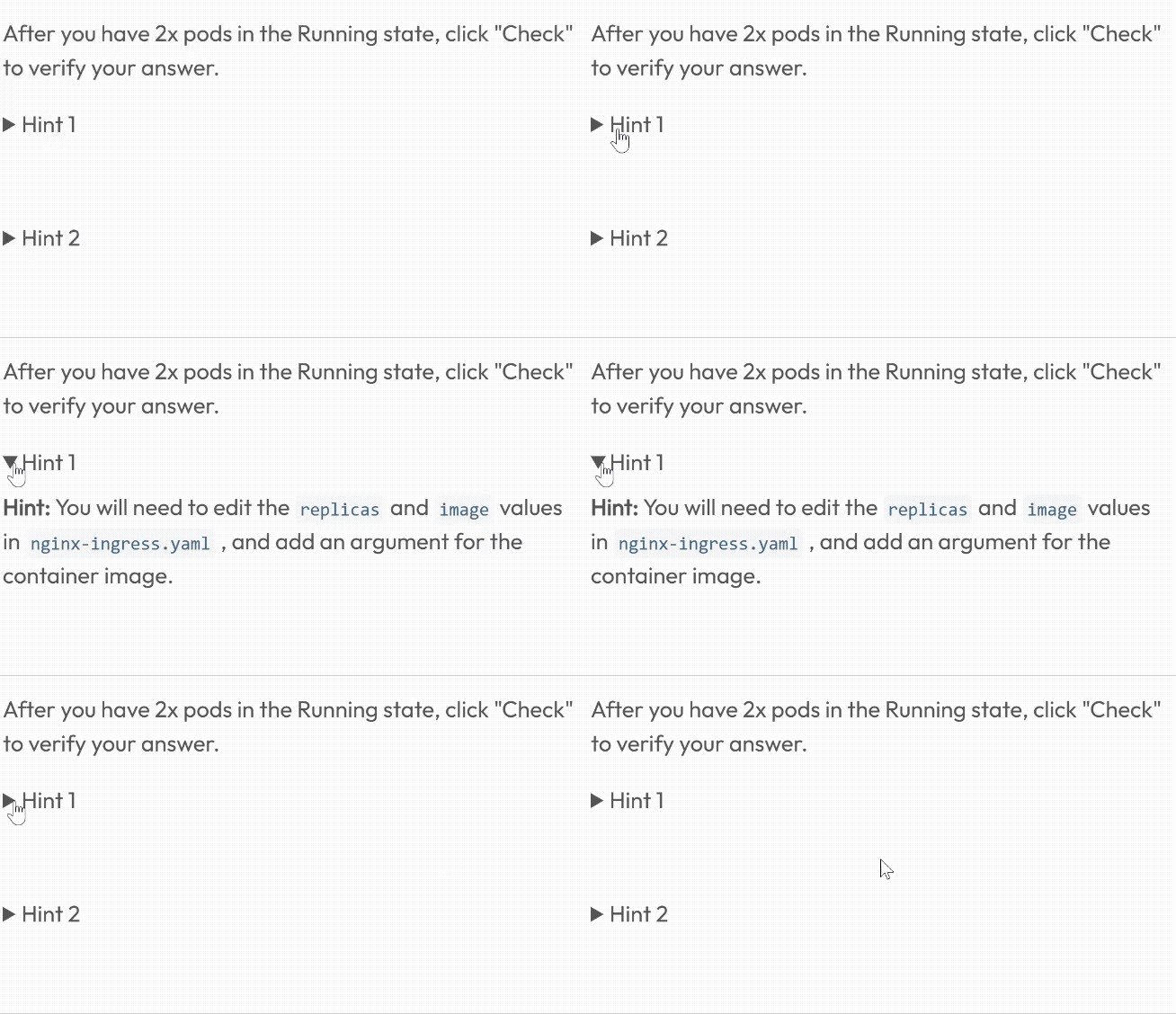
This is done with formatting like this:
1
2
3
4
5
<details>
  <summary>Hint 1</summary>

  **Hint:** You will need to edit the `replicas` and `image` values in `nginx-ingress.yaml`, and add an argument for the container image.
</details>
The result
Check them out for yourself: