Second brain, part 1
For years, Microsoft OneNote was my default operational brain. As an individual contributor I could track most of my work here. More recently, as a people leader, each of my direct reports had a shared notebook in OneDrive where we tracked shared work. I also tracked about a dozen active conversations and ephemeral issues that came and went, as well as other stuff.
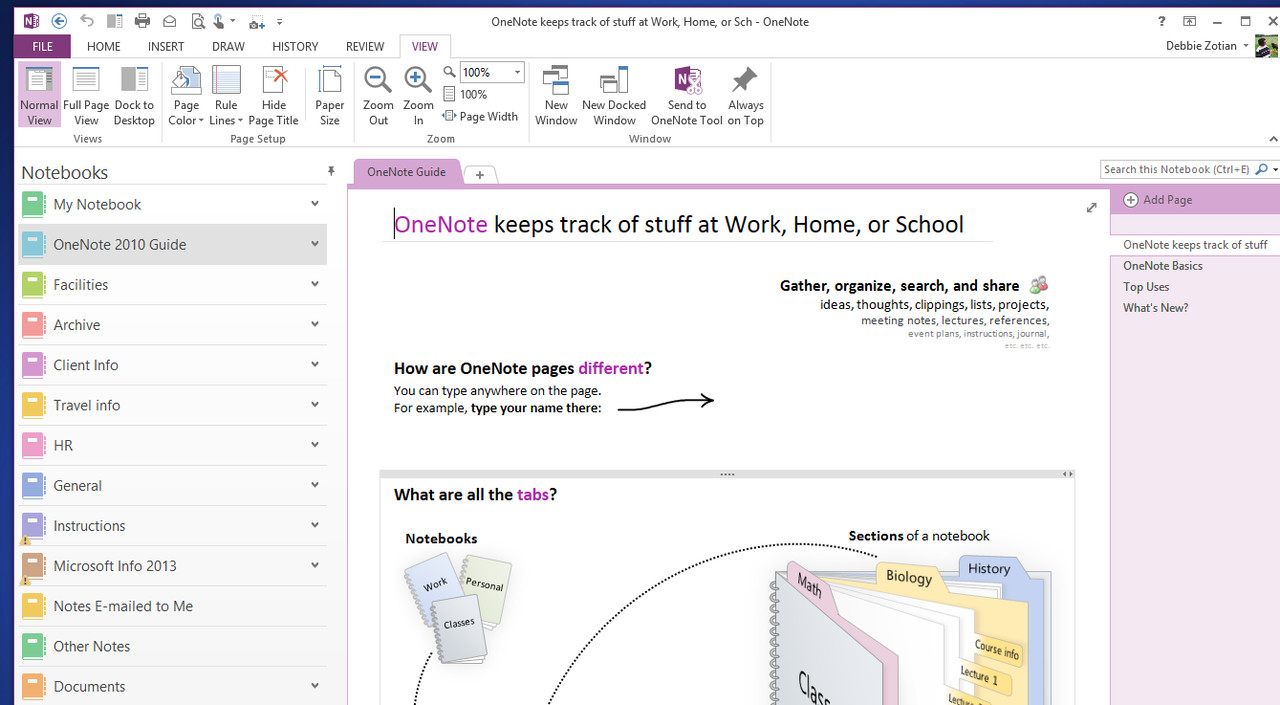
Here is how I (mostly) replaced OneNote with a local, agent-operated markdown Second Brain that stays private, backs up to OneDrive, and avoids lock-in to any single AI vendor.
What’s with OneNote?
Manual use of OneNote works, but feels outdated in the age of AI. As a people leader, you share info with your team, but you also track dozens of micro-initiatives, proposals, and sometimes things that are private and should not be shared.
OneNote is breaking under that weight:
- Filing friction: Forcing you to decide where a fleeting thought belongs upfront means half your notes get lost on generic pages.
- Sluggish search: Grepping across years of tabs and sections to recall a specific technical escalation is painful.
- Stenographer syndrome: Typing during 1:1s in 2026 kills active listening and eye contact.
However, OneNote is at least a manual, local tool. I don’t have to worry (much) about corporate spyware, and I know that only I have access to Notebooks that are not shared. So there is certainly a place for it.
The Architecture: Decoupling Storage, Viewer, and Intelligence
I see proprietary AI note tools (Notion, Mem, Roam) as a trap. For one, I don’t know if I can control where my data resides or which model my data may transit. If corporate IT blocks them or your company mandates a new platform, your data is trapped.
A resilient second brain decouples three layers:
- Storage (OneDrive): Plain text Markdown (
.md) files stored in a synced OneDrive folder. It stays local to your machine, backs up automatically, and complies with enterprise DLP rules. - Viewer (Obsidian): Opens the OneDrive folder directly as an interactive wiki with clickable links (
[[people/alice]]) and instant fuzzy search. There is no local web server to start up (localhost:8080), no build step, and zero database lock-in. - Intelligence (The AI Agent): Antigravity, Claude Code, or Cursor. The agent acts as a filing clerk—ingesting brain dumps, cross-linking files, updating status tables, and pulling pre-meeting context.
How Agents Actually Work With Your Corpus (Token Economics)
A common misconception is that an AI agent sends your entire folder to the model with every prompt. If you have 50 files totaling 80,000 words, sending that entire corpus on every prompt would be slow, expensive, and drown the LLM in irrelevant context. Modern agentic assistants interact with your files using selective tool execution:
- Workspace Discovery: The agent inspects
AGENTS.mdand discovers specialized skills (like/1on1-debrief). - Targeted Reading: When you say “Debrief with Alice”, the agent checks
INDEX.mdto resolve the filename, reads onlypeople/alice.md, and ignores the rest of your team’s files. - Intent Disambiguation: A well-instructed agent separates general knowledge from private data. If you ask “Where is Bank of America headquartered?”, it answers from its base training without touching your files. If you ask “What did Alice say about the BoA migration?”, it reads the relevant customer and personal files.
- State Mutation: It generates the user-facing summary in chat, appends private coaching notes to
people/alice.md, and updates the master tracking table inINDEX.md.
The Anti-Lock-In Rule: Switching Models and Agents in 60 Seconds
I use Antigravity today, but corporate tooling shifts. I refuse to build a system I can’t migrate in a minute. We achieve portability through open standards:
- Universal Instructions (
AGENTS.md): All operational rules—confidentiality, intent separation, and formatting templates—live in a rootAGENTS.mdfile. If I switch to Claude Code,CLAUDE.mdpoints to it. If I use Cursor,.cursorrulespoints to it. - Model Agnostic: Standard Markdown and YAML frontmatter mean the prompt setup works with any model—Gemini, Claude, or open-source.
Key File Best Practices
A clean directory structure keeps the agent fast and token usage low:
1
2
3
4
5
6
7
second-brain/
├── HOWTO.md          # Human reference manual read in Obsidian
├── AGENTS.md         # Universal operating rules read by AI agents
├── INDEX.md          # Master register of people, initiatives, and follow-ups
├── people/           # Confidential direct report ledgers
├── initiatives/      # Project cloud (active, radar, archive)
└── daily/            # Chronological daily timeline logs
- HOWTO.md: The human cheat sheet visible in Obsidian. Lists command shortcuts, voice dictation tips, and natural language query recipes.
- INDEX.md: The agent’s compass. Maintaining a single table of active initiatives, team members, and open commitments lets the agent locate files without traversing the whole folder tree.
- people/[name].md: Separates public from confidential. Shared 1:1 bullet points live in one section; private coaching notes or career goals live under a Manager Eyes Only section that the agent is strictly forbidden from sharing. (To be clear, I don’t put anything sensitive in this second brain. I will manually take notes or sometimes keep conversations verbal. I do not trust AI models with personal details, even corporate-approved models. I’m certainly willing to do this work manually.)
- initiatives/: Broken into active/ (in-flight projects) and radar/ (low-touch signals or rumors). If a radar item heats up, the agent promotes it; if it goes stale for 60 days, it moves to archive/.
The 1:1 Workflow in Practice: Voice + Custom Skills
My team is used to our standard 5-header format in their shared OneNote pages. I didn’t want to disrupt their habits.
-
Zero Typing During the Call During the 1:1, I stay fully present. No typing, no distraction.
-
The 60-Second Voice Debrief (Win + H) Immediately after the meeting, I open Antigravity, click into chat, hit Win + H for Windows voice dictation, and speak naturally:
/1on1-debrief Alice. Customer activity: Spent two days assisting Acme Corp on an architecture review. SA initiatives: Started building an automated lab script for team enablement. Other F5 things: Attended all-hands. Personal: Taking Friday off. Follow-ups: I will send her the lab credentials by Tuesday, and Alice will share her draft doc by Thursday. Private reflection: She seemed confident and energized about the new project.
- Deterministic Output & Vault Sync The /1on1-debrief skill executes in seconds and outputs the exact copy-pasteable block:
1
2
3
4
5
6
7
8
9
10
11
12
13
14
15
#Customer Activity
- Acme Corp: Assisted with architecture review.

#SA initiatives / enablement
- Automated Lab Script: Developing deployment script for team enablement.

#Other F5 things
- Attended quarterly all-hands.

#Personal
- PTO: Taking Friday off.

#Follow-ups
- [ ] Mike: Send lab credentials by Tuesday.
- [ ] Alice: Share draft documentation by Thursday.
I copy that block into Alice’s shared OneNote page in two seconds.
Meanwhile, Antigravity silently logs the private reflection (“Seemed confident and energized…”) into people/alice.md, registers my follow-up commitment in INDEX.md, and updates her last meeting date.
Next week, asking /prep-1on1 Alice automatically surfaces my open commitments and previous discussion points before we jump on the call.
To Do
Now that I’ve written this post there’s a few things I want to do:
- Switch from Antigravity to Claude Code. I am not loving Antigravity.
- Find a way to make my Wiki a bit prettier. Now that I’ve read similar blog posts from people that know more than me, I have room for improvement here.
- I’ll switch from Gemini (current LLM for corporate reasons) to a different model, also for corporate reasons.
Summary
Tools and AI vendors will rotate. By keeping your second brain in local Markdown, syncing through OneDrive, viewing it in Obsidian, and instructing your AI assistant via AGENTS.md, your system remains private, responsive, and completely under your control.